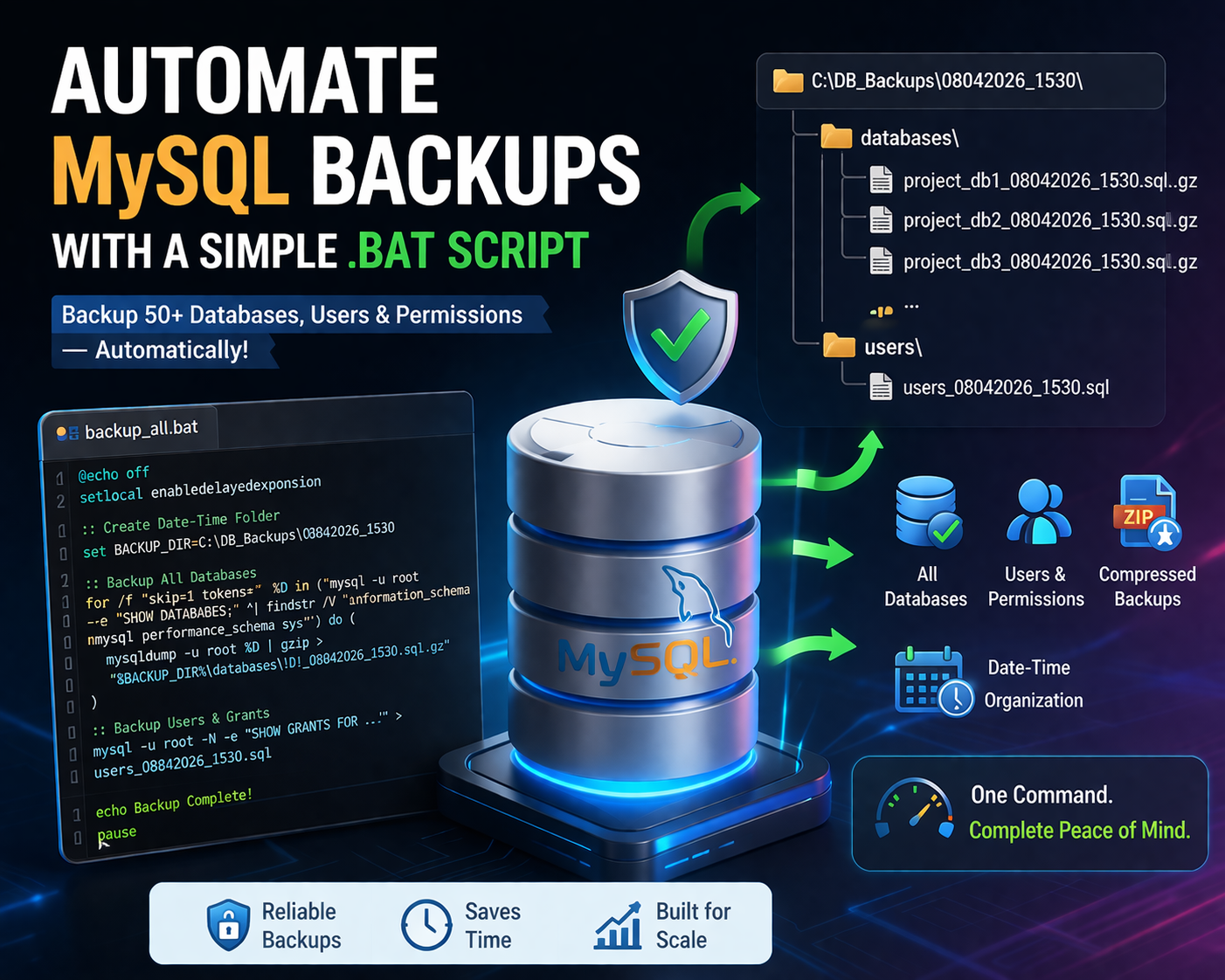
Automating MySQL Backups for 50+ Databases Using a Simple .bat Script
Managing multiple databases can quickly become a headache, especially when backups are involved.
In my case, I had 50+ project databases, each with its own user. Doing manual exports was:
❌ Time-consuming
❌ Error-prone
❌ Not scalable
So I built a simple Windows .bat automation script to handle everything in one go i.e cleanly, consistently, and safely.
🧠 The Problem
When working across multiple projects:
Each project had its own database
Each database had its own user + permissions
Backups needed to be:
Frequent
Organized
Reliable
Manual process:
mysqldump db1 > db1.sql
mysqldump db2 > db2.sql
...
👉 Multiply that by 50+… not fun.
💡 The Solution
I created a script that:
✅ Automatically loops through all databases
✅ Skips system databases
✅ Exports each DB individually
✅ Compresses backups to save space
✅ Stores everything in a timestamped folder
✅ Also exports users + permissions
📁 Output Structure
Each time the script runs, it creates a folder like:
C:\DB_Backups\08042026_1530\
   databases\
      project_db_08042026_1530.sql.gz
   users\
      users_08042026_1530.sql
This ensures:
No overwriting
Easy tracking
Clean restore points
🧾 The Script
Here’s the full script (sanitized for safety):
@echo off
setlocal enabledelayedexpansion

:: CONFIG
set BASE_DIR=C:\DB_Backups

:: DATE + TIME
for /f %%i in ('powershell -command "Get-Date -Format ddMMyyyy_HHmm"') do set DATETIME=%%i

:: FOLDERS
set BACKUP_DIR=%BASE_DIR%\%DATETIME%
set DB_DIR=%BACKUP_DIR%\databases
set USER_DIR=%BACKUP_DIR%\users

if not exist "%BASE_DIR%" mkdir "%BASE_DIR%"
if not exist "%BACKUP_DIR%" mkdir "%BACKUP_DIR%"
if not exist "%DB_DIR%" mkdir "%DB_DIR%"
if not exist "%USER_DIR%" mkdir "%USER_DIR%"

echo Starting backup...

:: DATABASE BACKUP
for /f "skip=1 tokens=*" %%D in ('mysql -u root -e "SHOW DATABASES;" ^| findstr /V "information_schema mysql performance_schema sys"') do (
    set DB=%%D
    echo Backing up !DB! ...
    mysqldump -u root !DB! | gzip > "%DB_DIR%\!DB!_%DATETIME%.sql.gz"
)

:: USERS + GRANTS BACKUP
set USER_FILE=%USER_DIR%\users_%DATETIME%.sql

echo -- Users Backup > "%USER_FILE%"
echo -- Generated on %DATETIME% >> "%USER_FILE%"

mysql -u root -N -e "SELECT CONCAT('CREATE USER ''', user, '''@''', host, ''' IDENTIFIED BY PASSWORD ''***'';') FROM mysql.user;" >> "%USER_FILE%"

echo -- Grants >> "%USER_FILE%"

for /f "skip=1 tokens=1,2" %%U in ('mysql -u root -e "SELECT user, host FROM mysql.user;"') do (
    mysql -u root -N -e "SHOW GRANTS FOR '%%U'@'%%V';" >> "%USER_FILE%"
)

echo Backup complete!
pause
⚙️ Requirements
Make sure you have:
mysqlandmysqldumpin your PATHgzipinstalled (via Git Bash or Chocolatey)
🔐 Security Considerations
Before sharing or using scripts like this publicly:
❗ Avoid exposing real database names
❗ Mask password hashes
❗ Don’t include real credentials
Example (sanitized):
IDENTIFIED BY PASSWORD '***'
🧠 Key Lessons
1. Always backup users separately
Backing up databases alone is not enough.
Without users:
Access denied for user...
2. Structure matters
Organizing backups by date + time:
Prevents overwrites
Makes restores easier
3. Automation > manual work
Once this is set up:
Run once → everything backed up
Zero stress
🚀 Next Improvements
If you want to take this further:
📅 Schedule with Task Scheduler (daily backups)
☁️ Upload to cloud (S3 / Google Drive)
🔐 Encrypt backups
🧹 Auto-delete old backups
⚡ Parallel dumping for speed
🎯 Final Thoughts
This script wasn’t just about automation — it came from real, practical needs that most developers eventually run into.
💡 Why I built this
🔁 Preparing for automation (cron jobs / scheduled tasks)
I needed a way to run backups automatically without manual intervention.
This script can easily plug into Windows Task Scheduler or even cron in a server environment.
💻 System resets & OS reinstalls
Sometimes you need to:
Format your computer
Upgrade your OS
Switch development environments
Having a complete backup (databases + users + permissions) means you can restore everything exactly as it was — no guesswork.
📦 Managing multiple projects at scale
With 50+ databases:
Manual backups don’t scale
It’s easy to forget one
Inconsistency becomes a risk
This script ensures everything is backed up consistently in one run.
🚨 Safety net before risky changes
Before:
Running migrations
Refactoring schemas
Testing new features
👉 One command gives you a full restore point
🧠 Peace of mind
Honestly, this is the biggest one.
Knowing that:
Your data is backed up
Your users and permissions are backed up
You can recover anytime
👉 That removes a lot of stress from development work.
🚀 Closing Thought
Good developers write code.
Great developers protect their data.
This setup turned backups from:
❌ A chore
❌ A risk
into:
✅ A one-command habit
✅ A reliable safety system
If you’re working with multiple databases, this kind of automation isn’t just helpful — it’s essential.
If you’ve built something similar or improved this approach, I’d love to hear it 👇